Get invoices paid faster, without chasing
Everything between sending the invoice and having the money, handled for you. We never touch the payment and never take a cut.
Most late payments are not refusals. The invoice went to the wrong address, the customer did not know where to send the money, they paid half and forgot the rest, or they paid and you did not notice. Numulo closes each of those gaps. Numulo is not a payment processor and never holds your money: customers pay you directly, the way they already do or by card through your own Stripe account, and we take no cut.
 5:57
Play the video: How Contractors Get Paid Faster (Without Chasing Customers)
How Contractors Get Paid Faster (Without Chasing Customers) · 5:57. The video plays from YouTube when you press play.
Chapters and transcript
- 0:00 Why invoices get paid late
- 0:38 Send it the same day, and send it complete
- 1:16 Tell them how to pay
- 1:43 Use a real due date
- 2:18 Deposits and part payments
- 2:49 Reminders on a schedule
- 3:24 Let the customer say "I've paid"
- 3:46 Regulars, statements and receipts
- 4:22 Late fees
- 4:44 Keep track of what came in
- 5:04 When it's really overdue
- 5:26 Wrap up
Most late payments aren't refusals. Your customer isn't trying to stiff you. Something small got in the way. The invoice went to an old email address. They didn't know where to send the money. They paid half, and forgot about the rest. Or they did pay, and you didn't notice. Every one of those is fixable before it happens. Send the invoice the same day. Check the email address. Tell them exactly how to pay you. And follow up on a schedule, not when you finally get annoyed. Do those four things, and most of your late invoices just stop being late.
Let's go through it in order, from the moment the job is done.
Start with speed. Send the invoice the day the work is finished. Before you leave the driveway, if you can. Your customer is happiest with your work right then. Every day you wait, the job feels a little further away, and your invoice slides down their list.
Before you hit send, check it. Is the email address right? Does every line have a price? Is the due date in the future? Is there a way to pay on it? It sounds basic. But a missing detail is an easy reason for someone to set your invoice aside.
And if you took photos of the finished work, include them. A customer who can see the job done is a customer who's ready to pay for it.
Now make paying easy. Put your payment options right on the invoice. Zelle. Venmo. Cash App. PayPal. Who to make a check out to. If you have a card payment link from Stripe or Square, add that too.
The fewer steps there are between reading the invoice and sending the money, the faster you get paid.
One caution. Don't print your bank account and routing number on an invoice. Invoices get forwarded.
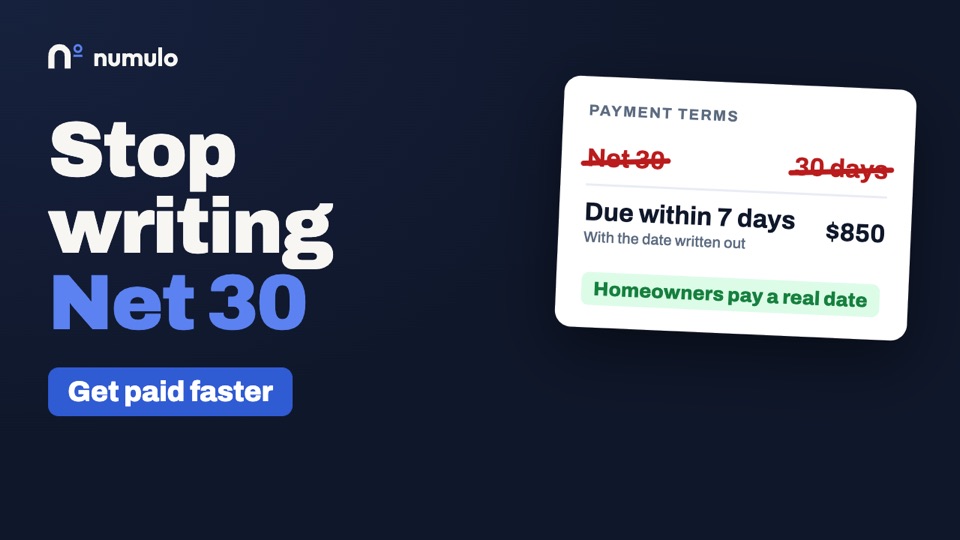
If you work for homeowners, stop writing "Net 30" on your invoices. Net 30 is business language. It means payment is due in thirty days. A lot of homeowners don't know that. And the ones who do will take all thirty. For residential work, say "Due on receipt", or "Due within 7 days". Then put the actual date on it. "Due October 14th." A date is harder to ignore than a term. Save Net 30 for commercial customers who run on a payment cycle. Even then, it's worth asking if they can do Net 15.
On bigger jobs, don't wait until the end for all of it. Take a deposit up front, and the balance on completion.
When a payment comes in, record it. Then the invoice shows what's been paid, and what's still owed. And any reminder asks for the balance, not the original total. Asking a customer for money they've already paid is a quick way to annoy them.
This matters most when a job is paid in pieces. A deposit by Zelle. A check halfway through. Cash at the end. If you're keeping that in your head, sooner or later you'll get it wrong.
Here's a reminder schedule that gets invoices paid, without making you the bad guy. A friendly heads-up a few days before the due date. A short note on the day it's due. Then, if it goes overdue, one reminder a week, each a little firmer than the last. Stop at four. Every reminder should say the amount still owed, how to pay, and include a link to the invoice. Keep the tone plain. "Just a reminder that invoice 204, for $850, was due on Friday." If you set these to send on their own, you never have to write an awkward email again.
One thing helps both sides. Give your customer a way to tell you they've paid. If they mailed a check on Monday, a reminder on Tuesday is irritating.
On Numulo, your customer can tap "I've paid" on the invoice. The reminders pause. You get an email. And you confirm it once the money has actually landed. Nothing is marked paid on their word alone.
Three more habits, for customers you work with again and again.
If you bill the same customer every month, don't write that invoice by hand each time. Set it up once, as a recurring invoice. It goes out on the same day every month, and the reminders follow on their own.
If a customer has several invoices open, don't send them five separate reminders. Send one statement that shows everything they owe, in one place. It's easier for them to pay it all at once.
And when you're paid, send a receipt. It closes the loop. It's also a good moment to ask for a review, while they're happy.
What about late fees? If you want to charge one, it has to be in writing before the work starts. On the estimate, and again on the invoice. You can't add a fee your customer never agreed to. States also limit how much you can charge, so check yours.
And honestly, the fee isn't really there to make you money. It's there to give people a reason to pay on time.
Then keep track of what's come in. Once a week, go through your bank deposits, and mark off the invoices that have been paid.
If you'd rather not do that by hand, you can upload the statement file your bank lets you download. Numulo matches the deposits to your open invoices, and you confirm them with a click. There's no bank login involved.
And if you've sent four reminders and heard nothing? Pick up the phone. A two-minute call sorts out most of what's left. Usually there's a reason. And often, you can agree a date or a payment plan on the spot.
Whatever you agree, write it down, and send it to them. "As we discussed, half this Friday, and half on the 30th." Then it's a plan, not just a conversation.
So. Invoice the same day. Make it complete. Say exactly how to pay. Use a real due date. And follow up on a schedule.
One more thing. We don't process your payments, and we don't take a cut. Your customers pay you directly, the way they already do. Reminders and the rest are part of the Pro plan, at $9 a month, and the first 14 days are free. Head on over to numulo.com. Thanks for watching.
Before it goes out: a second pair of eyes
When you press Send, the invoice or proposal is checked first. A missing or mistyped customer email, a line with no price, a due date that has already passed, a deposit larger than the job, no tax for a customer you taxed last time, a likely duplicate of something you sent this month, and no instructions for how to pay are all called out above the Send button. It warns and never blocks, so you stay in charge.
Tell them how to pay, once
Save your Zelle, Venmo, Cash App, PayPal and check details in Settings. They print under How to pay on every invoice PDF, the online copy, the email, and each reminder, with a tap-to-open link where the method has one. Have a Stripe or Square payment link? Add it and every invoice also gets a Pay online button and a QR code. Bank account numbers are refused on purpose, because invoices get forwarded.
Card payments, through your own Stripe account
On Pro, connect your own Stripe account in Settings, once. From then on every invoice with a balance shows your customer a Pay by card button on the online copy, and the send email and reminders say Pay online by card. They pay on Stripe's checkout page, by card or by bank transfer (ACH) if you have that switched on in Stripe, and can pay part of the balance when a deposit is all that is due. The money goes straight to your Stripe account and the invoice marks itself paid, with the receipt sent if you have receipts on. A refund you make in Stripe reopens the invoice for the amount refunded. Stripe charges its own fees and pays out on its own schedule; we add nothing and never hold the money.
"I've paid"
Your customer can tap I've paid on the online invoice and say how. Nothing is marked paid on their word: reminders pause, you get an email, and you confirm with one click once the money is there. No more reminder landing the day after the check was mailed.
Part payments and the balance that is still due
Record each payment as it arrives: the deposit, half now, the rest on completion. The balance due updates on the PDF, the customer's online copy, their statement, and your reports, and the invoice marks itself paid when the balance reaches zero. Reminders ask for what is left, not the original total.
On a longer job, the proposal can carry a payment schedule: a deposit when they sign, up to four progress payments tied to stages of the work, and the balance on completion. The customer sees every payment before signing. On acceptance the deposit invoice goes out, each progress payment is written as a draft for you to send when its stage is reached, and the balance invoice already has them all deducted.
Deposits and state rules
Some states limit the deposit, or say you can't take money while the customer can still cancel. California caps it at $1,000 or 10% of the price, whichever is less. Washington says no payment during the cancellation period when a loan pays for a solicited roofing job. Numulo knows the common rules: it warns you on the proposal when a deposit runs into one, and it can hold the deposit invoice until the customer's cancellation period ends, then send it by itself. The warnings are general information, not legal advice, and the choice stays yours.
One page for each customer
A repeat customer, a property manager or an HOA gets one link that shows everything with you: the open balance, each open invoice with a way to pay, quotes and change orders waiting on them, what they already approved, and a receipt for everything paid. No login and no password: the link is the key, and replacing it kills the old one at once. A customer who lost it types their email at numulo.com/c and gets a one-time link back. You see when they last looked, and you can add the link to every invoice and proposal email.
Reminders that start early and firm up
Turn on a heads-up a few days before the due date, a note on the day, and a weekly reminder once it is overdue, four at most, each a little firmer than the last. Every one carries your pay instructions and a link to the invoice, replies come to you, and they stop the moment the invoice is paid. Repeat work can send itself too: a recurring invoice goes out on schedule when it passes the pre-send check, and waits as a draft with an explanation when it does not.
Match bank deposits to invoices
Download the CSV your bank already offers and upload it. No bank connection and no bank password. Deposits are matched to open invoices by amount, date and customer name, including part payments and one deposit that covers several invoices, and the sure matches are ticked for you. One click records them. Money going out becomes expense suggestions with a category. Upload the same statement twice and nothing doubles.
Bring your data, and hand it over at tax time
Import customers from QuickBooks, Wave, Square, FreshBooks, Google Contacts or your phone, plus your price list and your unpaid invoices as opening balances. A photo of an old paper invoice becomes a draft. Importing never emails anyone. At the end of a quarter or a year, download one tax package: a summary PDF of cash received, sales tax collected by rate, expenses by category and what is still outstanding, the spreadsheets behind it, and a PDF of every invoice and receipt. It is a record of your own numbers, not tax advice, and it saves sharing a login with your accountant.
What it costs
All of this is part of Pro at $9 a month or $90 a year, and Team at $15 a month for up to five people, with a 14-day trial and no card. No per-invoice fee and no percentage of what you collect: card payments carry Stripe's own fees, paid to Stripe, and nothing on top from us. The invoice generator itself stays free with no signup.
Frequently asked questions
Does Numulo process payments or take a fee?
No. Customers pay you directly by Zelle, Venmo, Cash App, PayPal, check or cash, or by card through your own Stripe account. Stripe processes card payments and charges its own fees; Numulo never holds the money and takes no percentage.
Can my customers pay an invoice by card?
Yes, on Pro. Connect your own Stripe account in Settings and every invoice with a balance shows a Pay by card button. The customer pays on Stripe's checkout page, the money goes to your Stripe account, and the invoice marks itself paid. Bank payments (ACH) are offered too when you have them switched on in Stripe.
Who handles refunds, disputes and chargebacks on card payments?
You and Stripe. Card payments are between you and your customer through your own Stripe account, so you refund in your Stripe dashboard and answer any dispute there. Numulo keeps the invoice in step: a refund reopens it for the amount refunded, we email you when a dispute opens, and a dispute you lose reopens the invoice for the amount taken back.
Which ways to pay will my customers see at checkout?
The ones switched on in your own Stripe account. Stripe decides the list from your settings, which by default can include cards, Apple Pay and Google Pay, bank transfer, and pay-later services. Turn any of them on or off in your Stripe dashboard under payment methods; Numulo does not choose them for you.
Can I record a partial payment on an invoice?
Yes. Record each payment with its date and method. The balance due updates everywhere the invoice appears, and the invoice is marked paid when the balance reaches zero.
Do you connect to my bank account?
No. You upload the CSV statement your bank lets you download. The file is read for that upload and not stored. Only the lines you act on are remembered, so the same deposit is not offered twice.
What happens when a customer taps "I've paid"?
Reminders for that invoice pause and you get an email. The invoice is not marked paid until you confirm the money arrived. If it has not, dismiss it and reminders pick up again.
How many reminders will my customer get?
Only the ones you turn on: an optional heads-up before the due date, an optional note on the due date, and up to four weekly reminders once it is overdue. They stop as soon as the invoice is paid.
What is in the tax package?
A summary PDF for the quarter or year, spreadsheets of payments, invoices, expenses and customers, and a PDF of every invoice and paid receipt from the period, in one zip file. It is a record of your figures and not tax advice.
Related
Proposals · Change orders · Estimates · Warranty tracking · Numulo vs Wave · Pricing