Estimates customers approve online, then convert to invoices
An estimate gives the customer a number before they decide. Numulo turns the approval into a click, keeps the estimate on file, and converts it to an invoice with the next number when the work is booked.
 5:13
Play the video: How to Write a Contractor Estimate Customers Say Yes To
How to Write a Contractor Estimate Customers Say Yes To · 5:13. The video plays from YouTube when you press play.
Chapters and transcript
- 0:00 Same price, different answer
- 0:27 Name the job, and say what's in and out
- 1:14 Line items people can read
- 1:58 Upgrades as options
- 2:35 Short terms, with an expiry date
- 3:21 Send it fast
- 4:04 Make yes easy
- 4:47 Wrap up
Two contractors look at the same job, and quote about the same price. One gets a yes the same day. The other never hears back. Most of the time, the difference isn't the price. It's the estimate. Here are six things that make an estimate easy to say yes to. I'll build one as we go.
A quick note on words. Estimate, quote, proposal. Customers use all three to mean the same thing. What's the job, and what will it cost? I'll say estimate.
Start with a title that names the job the way your customer would say it. "Replace 50-gallon gas water heater." Not "Plumbing services".
Then write the scope. Two to five plain sentences on what you're going to do.
There's one sentence missing from most contractor estimates, and it causes more arguments than anything else. What's not included. You wrote down what you're going to do. Your customer filled in the rest in their head. They assumed the drywall gets patched. They assumed you haul away the old unit. They assumed the permit was in the price. So say it. "This price includes removal of the old water heater and the permit. It does not include drywall repair or painting." One sentence. Now your customer knows exactly what they're buying, and you don't get that phone call at the end of the job.
Next, the line items. Give each line a real description. "Thermal expansion tank and seismic strapping" tells the customer something. "Parts" doesn't.
You don't have to list every fitting. A handful of clear lines is enough to show where the money goes. And keep labor and materials apart where you can.
Here's why it matters. If a customer can see what they're paying for, the total feels fair. If all they see is one big number, the only thing they can do with it is compare it to somebody else's big number.
If you took photos on the visit, add them. A picture of the corroded tank, or the spot where the new unit will go, shows you looked properly. It also protects you later, because it shows what the place looked like before you started.
Here's an easy way to raise your average job, with no pressure at all. Stop bundling the upgrades into your price. List them as options. Quote the base job first. That's everything it takes to do the work properly. Then add the upgrades underneath as optional items, each with its own price. A tankless upgrade. A recirculation pump. An extended warranty. Your customer ticks the ones they want. Now it isn't one big number to say yes or no to. It's a choice between good and better, and you're not the one selling it. Keep it to two or three options, though. More than that, and people stall.
Then the terms. Keep them short. Four things. How long the price is good for. Whether there's a deposit, and how much. What happens if the job changes. And when the balance is due.
Put an expiry date on every estimate. Thirty days is typical. Two weeks, if your material prices move fast. It does two things. First, it protects you. Without a date, a customer can call you back in six months, after copper has gone up, and expect the old price. Second, it gets you an answer. An open-ended estimate just sits in an inbox. A date gives your customer a reason to decide, and it gives you a reason to follow up. "Just checking in. The price on your estimate is good through Friday." That's not pushy. That's helpful.
Number five. Send it fast. The same day, if you can. The longer an estimate takes, the more time your customer has to call someone else.
This is where saving your common items pays off. If your prices are already saved, building an estimate takes a couple of minutes. You can do it from the truck.
And on a bigger job, don't just email it and hope. Walk your customer through it. Stand in the kitchen, or call them, and go line by line. Then send the link, so they can sign when they're ready. People say yes to things they understand.
One more thing while we're here. Don't discount before anyone asks. If you've priced the job properly, send that price. Knocking a hundred dollars off in advance just tells your customer the first number wasn't real.
Number six. Make yes easy. If your customer has to print it, sign it, scan it and email it back, you've given them homework. Send a link. They open it on their phone. They tick the options they want. They type their name, and they tap accept. You get a record of who signed, what they chose, and when.
A typed name counts as a signature for most business agreements in the United States. That's general information, not legal advice.
And then follow up. Most estimates that go quiet weren't a no. They just got buried. A short reminder after three days, and another a week later, wins back more jobs than you'd think. You can do that by hand, or have it sent for you.
So, six things. Name the job, and say what's in and what's out. Use lines people can read. Offer upgrades as options. Keep the terms short, with an expiry date. Send it fast. And make it easy to sign.
On Numulo, you can send three proposals a month for free, and your customers sign on their phone. Head on over to numulo.com. Thanks for watching.
Estimate or proposal?
An estimate is the fast answer to "roughly what will this cost?". It lists the work and a price, carries a validity date, and the customer approves it with a typed name. A proposal is the fuller document for jobs with a defined scope, optional add-ons the customer picks, terms, and a deposit that is invoiced automatically on acceptance. If you find yourself writing paragraphs into an estimate, it is a proposal.
How estimates work in Numulo
- Draft it. Use the free estimate template with no account, or in the app describe the job and let the AI write priced line items, a scope-of-work note, and terms for your trade. For a job you quote every week, save the estimate as a template and start the next one from it with the customer filled in.
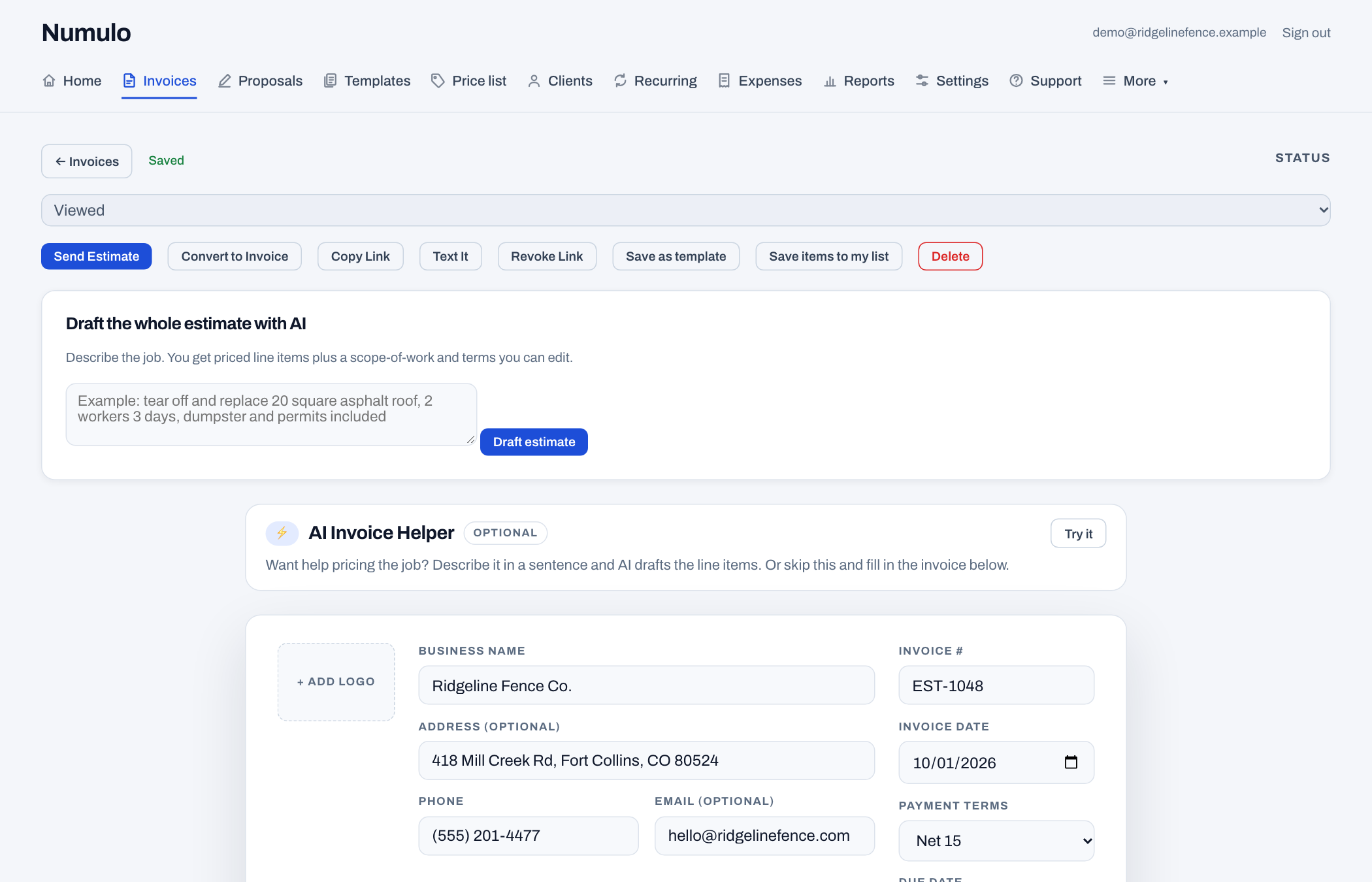
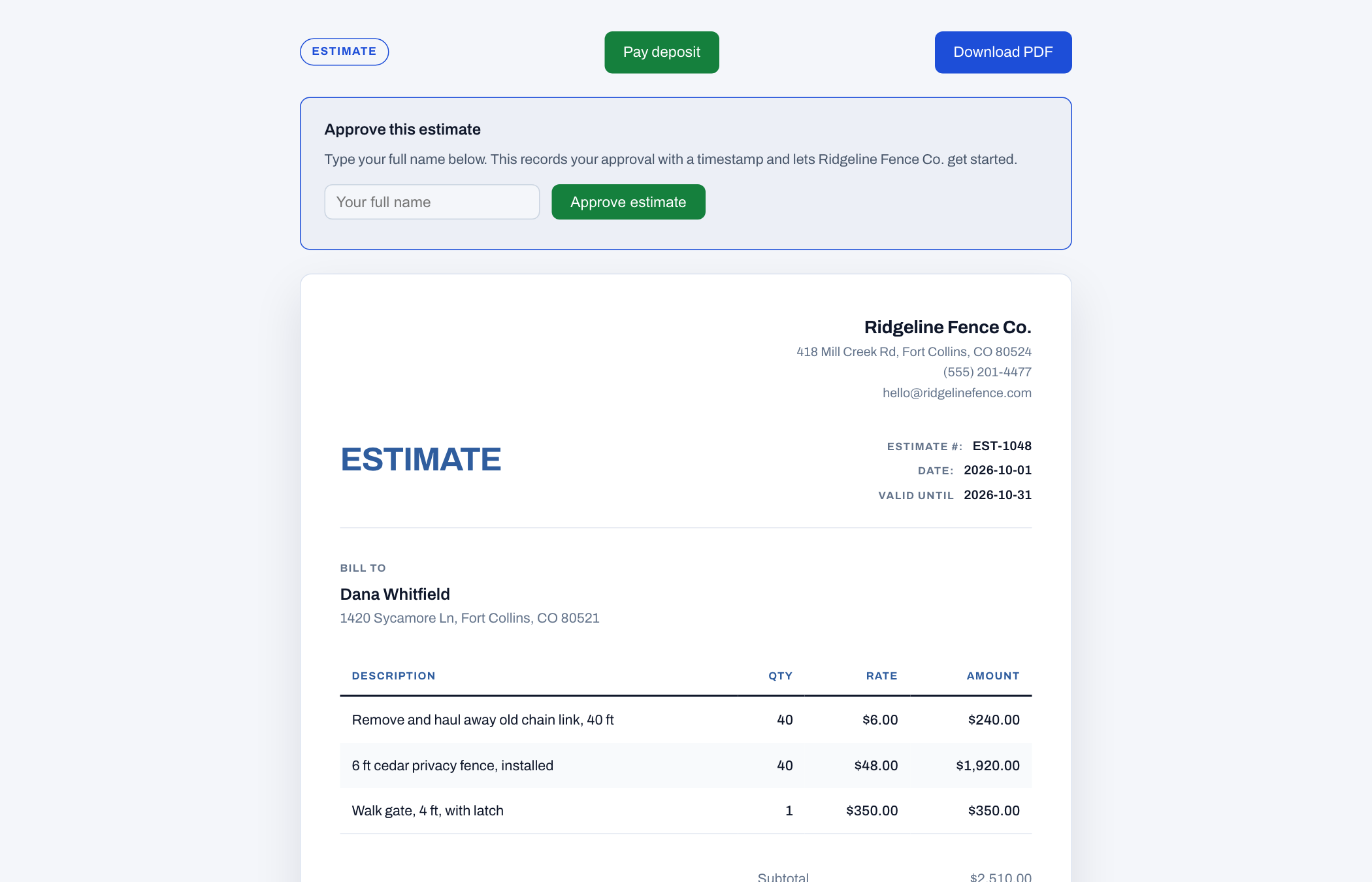
- Send the link. The customer sees a clean page on their phone with the items, total, validity date, and an Approve button. You get an email the moment they approve.
- Convert with one click. The approved estimate becomes an invoice with the next invoice number, the same client, and the same items. A deposit, if you set one, is shown on both.
What to put on an estimate
Separate labor from materials so a customer who supplies their own materials can see the difference. State what is excluded (permits, disposal, painting after drywall) because those are the items that turn into arguments. Give the estimate an expiry date, thirty days is common, so a price from March is not held against you in August. Say when a deposit is due and what happens if the scope changes. The AI draft does all of this by default; the trade pricing report has current rate ranges if you are unsure what to charge.
Free estimate templates by trade
Landscaping, HVAC, plumbing, electrical, cleaning, roofing, painting, handyman, pressure washing, photography, general contractor, concrete. Each one opens with realistic line items for that trade.
Frequently asked questions
Is the estimate generator free?
Yes. The estimate template makes unlimited estimate PDFs with no account and no watermark. Online approval, conversion to an invoice, and saved estimates come with a free account and its 14-day Pro trial.
How does a customer approve an estimate?
They open the link you send, review the items and total, type their full name, and click Approve. The approval is recorded with a timestamp and you are emailed. The estimate then converts to an invoice in one click.
Can an estimate include a deposit?
Yes. Set a fixed amount or a percentage. It shows on the estimate as due on approval and carries through to the invoice. For a deposit invoice that goes out automatically the moment the customer accepts, use a proposal.
What is the difference between an estimate and a quote?
In practice they are used interchangeably. Strictly, a quote is a fixed price and an estimate is an approximation that can change with the scope. Whichever word you use, put an expiry date on it and say what is excluded.