Proposals that get accepted on a phone, then turn into invoices
A proposal is a priced scope of work with a signature line. Numulo makes the signature line a button, lets the customer pick their add-ons, and writes the invoice the moment they accept.
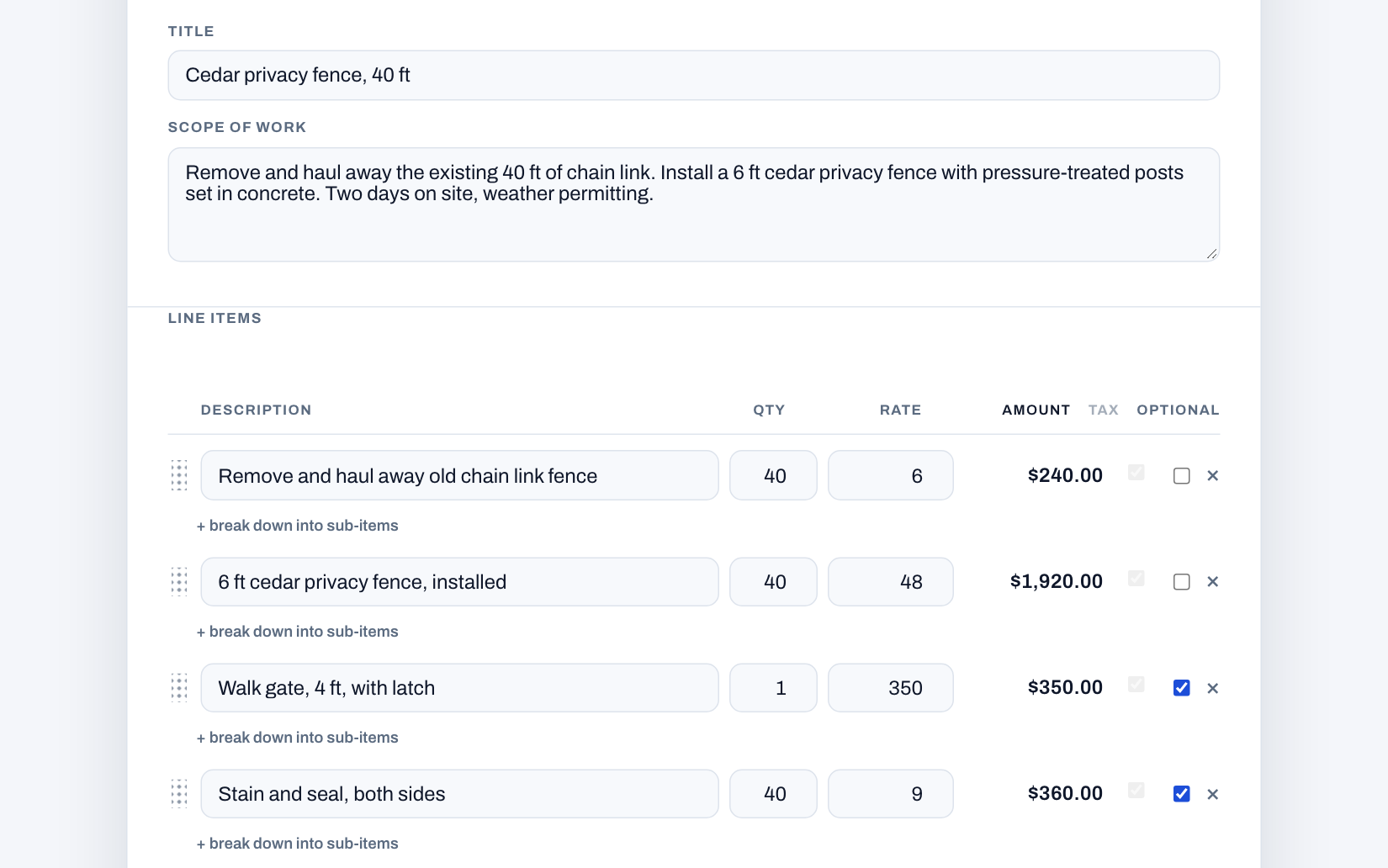
What a proposal is, and why it beats a quote in a text message
A quote is a number. A proposal is the number plus everything that number covers: the scope, what is excluded, when the work happens, how you get paid, and what happens when the job changes. Customers accept proposals faster than quotes because there is less to ask about, and disputes later are rarer because the answer is written down. For trades and service businesses that is the difference between "you said it would be twelve hundred" and a document the customer signed.
How it works
- Describe the job. Type it in plain English, or let the AI draft it: title, scope, priced line items, terms, and a validity date, tuned for your trade. Edit anything.
- Mark the add-ons optional. Gate, stain and seal, extended warranty. Optional items show up as checkboxes on the customer's page; required items are always included.
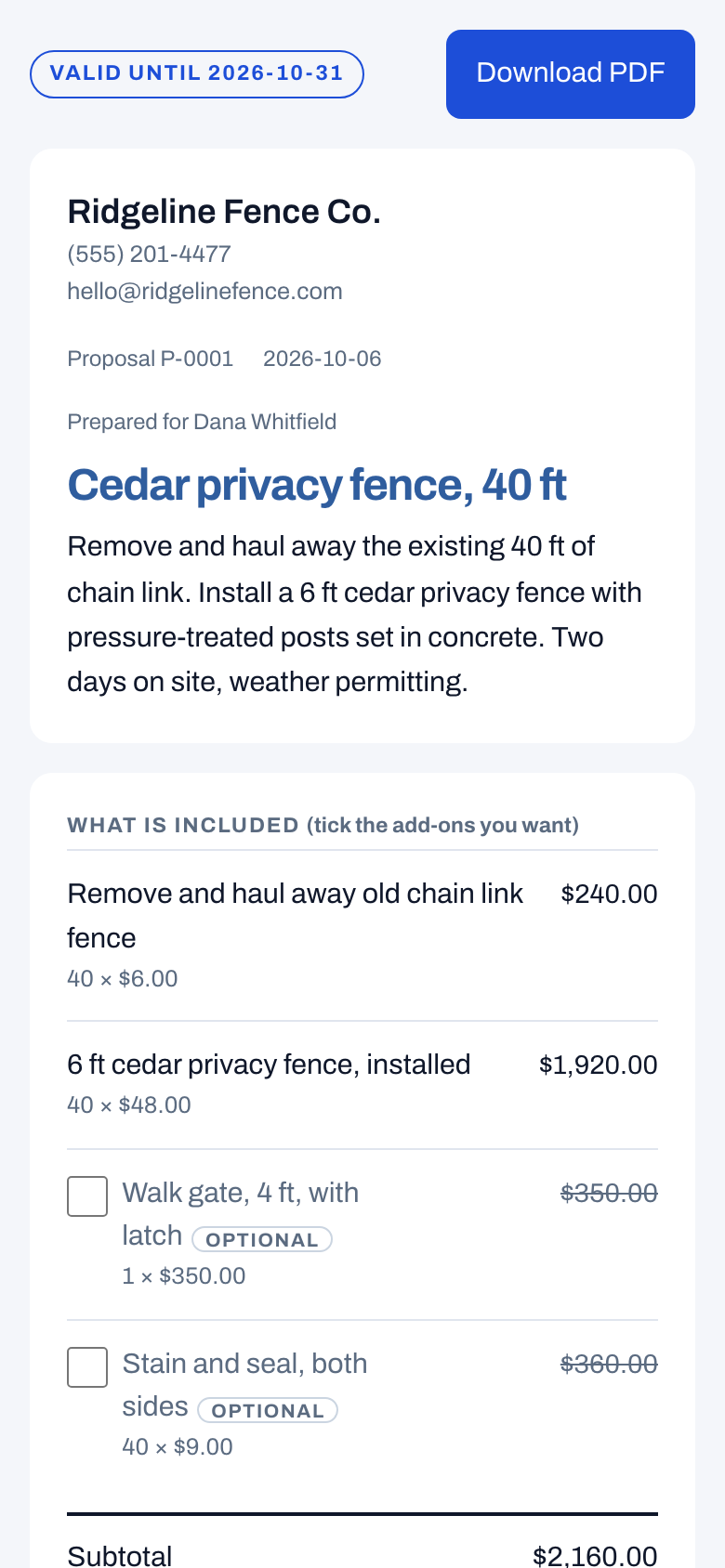
- Send the link. The customer opens it on their phone, ticks the extras they want, watches the total update, types their name, and accepts. No app, no account, no printing.
- The invoice writes itself. On acceptance we generate the invoice from exactly what they chose. If you set a deposit, the deposit invoice goes out immediately, your customer can pay it by card on the spot when you have connected Stripe, and a balance invoice waits as a draft. On a longer job, set a payment schedule instead: the deposit, up to four progress payments named for the stage that triggers them (framing complete, rough-in passed), and the balance on completion. Each progress payment waits as a draft invoice for you to send when that stage is reached, and the balance invoice takes all of them off.
 4:25
Play the video: Contractor Deposits: How Much to Ask For and How to Word It
Contractor Deposits: How Much to Ask For and How to Word It · 4:25. The video plays from YouTube when you press play.
Chapters and transcript
- 0:00 Who's holding the bill?
- 0:27 When you don't need one
- 1:01 How much
- 1:51 How to word it
- 2:26 If a customer pushes back
- 3:08 Bigger jobs: use stages
- 3:31 Collect it the moment they say yes
- 4:01 Wrap up
You order $3,000 of materials for a job. The customer cancels on Thursday. Who's holding the bill? If you didn't take a deposit, you are. So let's talk about when to take one, how much to ask for, and how to word it so it doesn't scare anyone off.
A deposit does three things. It pays for the materials, so you're not financing your customer's project. It holds the date on your schedule. And it tells you the customer is serious.
You don't need a deposit on every job. If the work is small, and you get paid the day you do it, skip it. A handyman doing a short list of tasks. A service call. A regular cleaning visit. Just collect in full when you're done. A deposit starts to make sense when you have to spend money, or hold a date, before you start. You're ordering equipment. You're buying materials you can't return. Or you're blocking out days on your calendar for one customer. If a cancellation would cost you money, take a deposit. If it wouldn't, don't make your customer jump through a hoop.
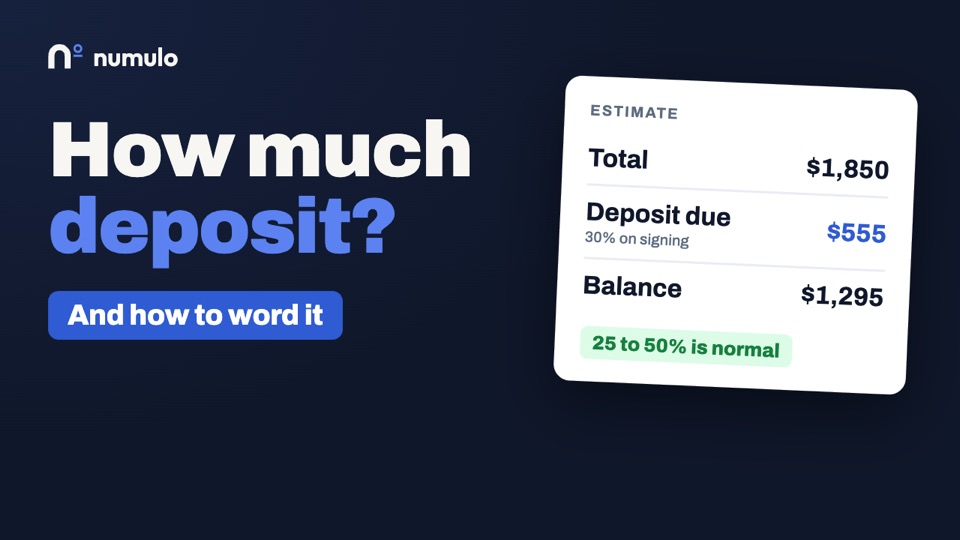
How much deposit should a contractor ask for? Here's a simple rule. Enough to cover what you have to buy before you start. For a lot of jobs, that lands somewhere between 25 and 50 percent. A roofer ordering shingles might ask for 25 percent. An HVAC company ordering equipment, more like 40. An electrician doing a panel upgrade, 30 to 50, because the panel and breakers are most of the cost. A painter just needs enough to cover the paint. One warning. Some states cap deposits on home improvement work. So check your state's rules before you set your number.
California is the strict one. On a home improvement contract there, the down payment is capped at 10 percent of the price, or $1,000, whichever is less. Other states have their own limits. Your state's contractor board will tell you what applies to you.
Here's how to word a deposit so nobody argues about it later. Don't just write "50 percent deposit required". Say what it's for. Try this. "A 30 percent deposit orders your materials and holds your installation date. The balance is due on the day the work is completed." Now your customer knows where their money goes. And if they cancel after you've ordered, the reason you're keeping part of it is already in writing. Put it on the estimate, before they sign. A deposit that shows up for the first time on the invoice feels like a surprise. On the estimate, it's just part of the deal.
Some customers push back on a deposit. Usually it's because they've been burned before, or they've heard a story. Don't argue. Explain what it buys. "The deposit is what I pay the supplier for your equipment."
If it helps, split it. A smaller payment when they sign, and a second one when the materials arrive.
Say in your terms what happens if they cancel. For example, "If you cancel after materials are ordered, the deposit covers materials already purchased and any restocking fee." That's fair to both of you, and it's in writing.
And if a customer refuses any deposit at all, on a job where you're buying thousands of dollars of materials, that tells you something. It's better to find out now.
On longer jobs, use stages. A deposit when they sign. A progress payment at a point the customer can see, like when the rough-in passes inspection, or when the shingles land in the driveway. And the balance at completion.
Name each stage, and its amount, on the estimate. A four-day job should never leave you carrying all the labor and all the materials until the last day.
Ask for the deposit at the moment they say yes. Not a week later. That's when your customer is most ready to pay it.
If your customer signs the estimate online, this can take care of itself. They accept on their phone. The deposit invoice goes out the moment they do. And the invoice for the balance is already written, with the deposit taken off, so nobody has to do the math at the end.
When the deposit is paid, give a receipt. It's their proof that they paid, and it's yours too.
So. Take a deposit when a cancellation would cost you money. Size it to what you have to buy. Say what it's for, on the estimate. And collect it when they sign.
On Numulo, deposits are part of the Pro plan. That's $9 a month, and the first 14 days are free, with no card. Head on over to numulo.com. Thanks for watching.
What gets recorded when they accept
The typed name, the UTC timestamp, the IP address, the browser, the exact items and totals they agreed to, and a cryptographic hash of the rendered proposal. The record cannot be edited or deleted, even by you. The signed PDF shows the name in a signature face with an "accepted electronically" footer. Read more on the e-signature page.
Show what a price is made of
Any line can be broken down into sub-items: "Install hot water heater, $1,850" becomes the $1,200 heater and $650 of labor underneath it. The line's price is always the sum, so the numbers cannot disagree. You choose whether the customer sees the sub-item prices or just the list of what is included. It works the same on invoices and estimates.
Your standard jobs, saved
Most contractors quote the same handful of jobs over and over. Save any proposal as a template, build one from your price list, or start from a ready-made job for your trade, and the next one starts in a tap: pick the template, pick the customer, and you get a draft with the scope, line items, add-ons, breakdowns, terms and deposit already in place. A template never holds a customer, number or dates, and editing it never changes proposals you already sent. If a price on your price list has moved since you saved it, the template tells you and updates in one click. Templates work on every plan, and a proposal made from one counts like any other.
When the job changes after they sign
Extras agreed in the driveway are how final invoices get disputed. On an accepted proposal, add a change order: the work being added or credited, the reason, and the new job total. The customer approves it on their phone with a typed name, the approval is kept as a permanent record like the original acceptance, and the unpaid balance invoice updates itself. Change orders do not count against the three free proposals a month.
Proposals, estimates, invoices: which one do you need?
Use a quick estimate when the customer wants a number before deciding. Use a proposal when the job has a real scope, options, or a deposit, and you want a signature. Use an invoice when the work is done or a payment is due. Numulo carries the same client, line items, and branding through all three, so nothing is retyped.
Looking for a Joist alternative?
Joist is a well-established estimating and invoicing app for contractors, with native phone apps, Tap to Pay, homeowner financing and QuickBooks sync. If those are what you need, it is a good choice. Numulo is built around the proposal itself, and prices it differently. Here the customer ticks the optional add-ons they want, signs with a typed name, and the deposit and balance invoices are created from exactly what they accepted, with an acceptance record that cannot be edited. Change orders the customer signs are on every plan, free included; on Joist they start with the Elite plan at $32 a month. Pro is $9 a month for unlimited proposals against $17 for Joist Pro, and Team is $15 a month for up to five logins on one business, where Joist's help center describes an account as one user with one login. Warranty tracking, bank statement matching and a tax package come with Pro. Joist is ahead on scheduling, in-person card payments and financing, and Numulo runs in the browser rather than from an app store. The full side by side, with Joist's prices checked October 2026, is on Numulo vs Joist.
Templates by trade
Start from a proposal with realistic line items and terms for your trade: landscaping, HVAC, plumbing, electrical, cleaning, roofing, painting, handyman, pressure washing, photography, general contractor, concrete.
Frequently asked questions
Is the proposal tool free?
Yes. Free accounts can create three proposals a month, send them, and have customers accept them online. Pro ($9/month) removes the limit and adds deposits and your logo and colours on the proposal.
Can the customer choose options on the proposal?
Yes. Mark any line item optional and it appears as a checkbox on the customer's page. The subtotal, tax, total, and deposit recalculate as they tick items, and the invoice is generated from what they actually selected.
Does accepting a proposal create an invoice automatically?
Yes. On acceptance Numulo creates the invoice from the accepted items, linked to the proposal. With a deposit set, a deposit invoice is sent to the customer right away and the balance invoice waits as a draft for you to send when the work is done.
Is a typed name a legally binding signature?
In the United States, electronic signatures including typed names are enforceable under the ESIGN Act and UETA when the signer intends to sign and consents to doing it electronically. The acceptance page states that consent and records name, time, IP, browser, and a hash of the content. For high-value contracts, check your state's requirements or ask a lawyer.
Can I use proposals without the AI?
Yes. The manual builder works exactly like the invoice editor, with a title, scope, and optional items. The AI draft is a starting point you can ignore.
Is Numulo a good Joist alternative?
For proposals, change orders and a small crew, yes: optional add-ons the customer picks, change orders on every plan (Joist puts them on Elite at $32/month), Pro at $9/month and Team at $15/month for up to 5 logins. Joist is the better fit if you need native phone apps, Tap to Pay, homeowner financing, QuickBooks sync or scheduling. Joist prices checked October 2026.